If you like this plugin, please, rate it on Fab. Thank you!
Identifier for Advertisers (IDFA) support
The User Messaging Platform (UMP) SDK lets you present an IDFA message to your users before requesting their consent for App Tracking Transparency (ATT). The IDFA message shows your users how your app uses the identifier.
This guide covers using the UMP SDK to present an IDFA message.
Note
If you enable both GDPR and IDFA messages, refer to Which message your users will see for the possible outcomes.
Prerequisites
- Complete the Get started guide.
- Create an IDFA message in the AdMob UI.
User tracking usage description
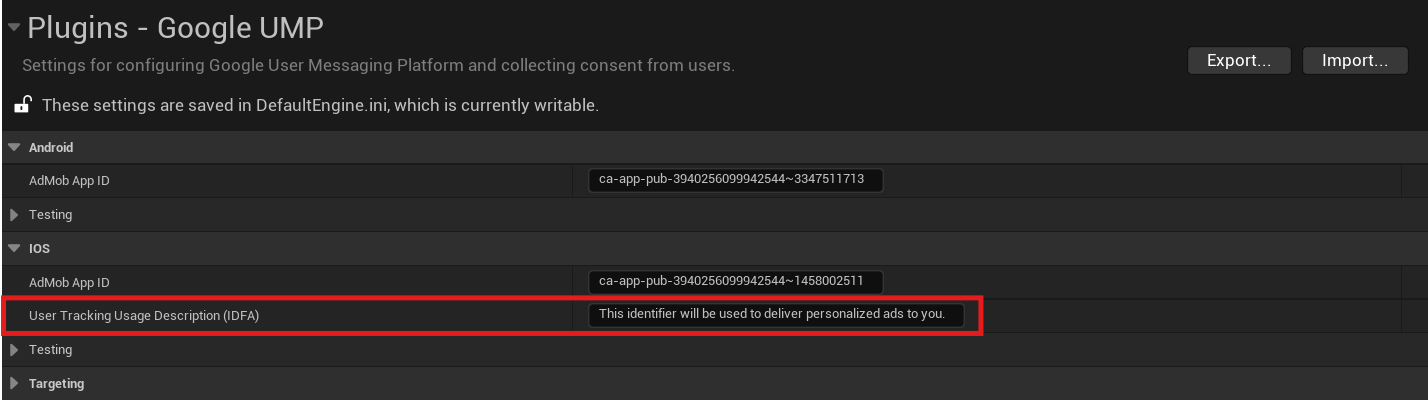
Open Project Settings > Plugins > Google UMP in Unreal Engine, and set a custom message that describes the usage:
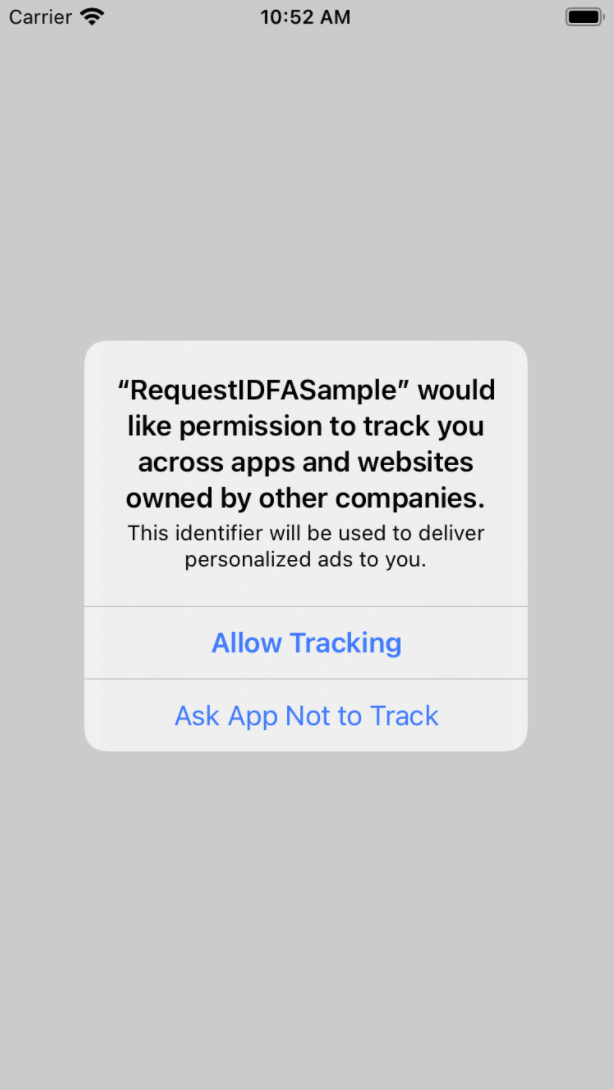
The usage description appears as part of the IDFA ATT alert when you present the consent form:
Testing
While testing, remember that the ATT alert only appears a single time since requestTrackingAuthorization is a one-time request. The UMP SDK only has a form available to load if the authorization status is ATTrackingManagerAuthorizationStatusNotDetermined.
To make the alert appear a second time, you must uninstall and reinstall your app on your test device.
Request ads with or without IDFA
If a user denies ATT, continue to request ads using your ad format's APIs. The Google Mobile Ads SDK doesn't send IDFA in the ad request.