If you like this plugin, please, rate it on Fab. Thank you!
GDPR IAB support
Under the Google EU User Consent Policy, you must make certain disclosures to your users in the European Economic Area (EEA) along with the UK and obtain their consent to use cookies or other local storage, where legally required, and to use personal data (such as AdID) to serve ads. This policy reflects the requirements of the EU ePrivacy Directive and the General Data Protection Regulation (GDPR).
This guide outlines the steps required to support the GDPR IAB TCF v2 message as part of the UMP SDK. It is intended to be paired with Get started which gives an overview of how to get your app running with the UMP SDK and the basics of setting up your message. The following guidance is specific to the GDPR IAB TCF v2 message. For more information, see How IAB requirements affect EU consent messages.
Prerequisites
- Complete the Get started guide.
- Create a European regulation message for apps.
Consent revocation
GDPR requires consent revocation to allow users to withdraw their consent choices at any time. See Privacy options to implement a way for users to withdraw their consent choices.
Tag for under age of consent
To indicate whether a user is under the age of consent, set TagForUnderAgeOfConsent (TFUA). When you set TFUA to true, the UMP SDK doesn't request consent from the user. If your app has a mixed audience, set this parameter for child users to ensure consent is not requested.
Note
The UMP SDK does not forward the TFUA tag set on consent requests to Google Mobile Ads SDK or any other ad SDKs. You must explicitly set the TagForUnderAgeOfConsent on ad requests. If you don't set the TagForUnderAgeOfConsent on ad requests, the UMP SDK does not collect any information that allows Google to determine whether or not users under the age of consent use your app. For more information about data processing restrictions for these users, see Tag an ad request for EEA, the UK, and Switzerland users for restricted data processing.
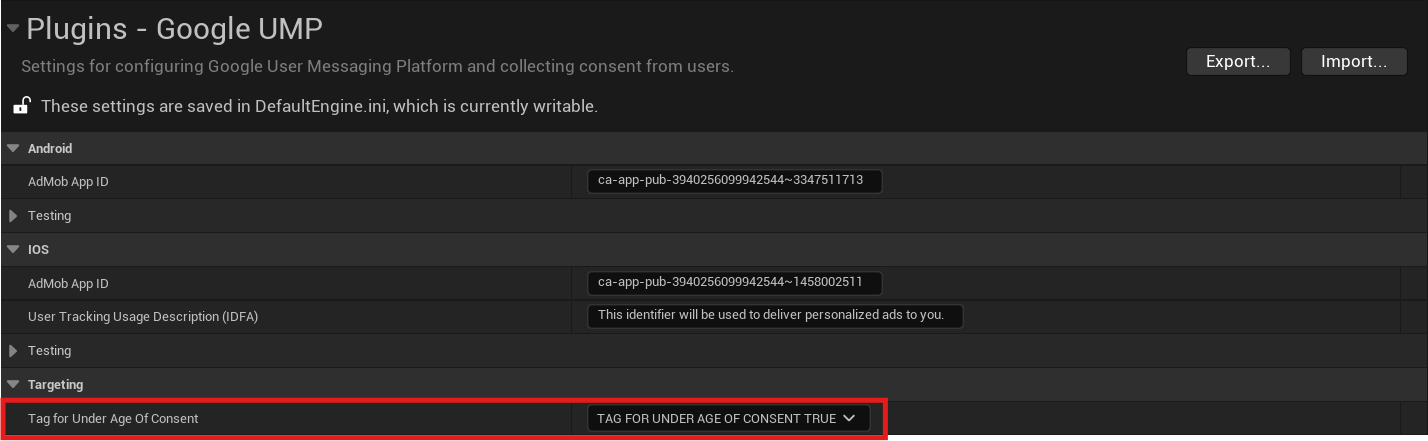
You can also override the default value of TagForUnderAgeOfConsent set in Project Settings at runtime using UGoogleUMP::SetTagForUnderAgeOfConsent() function. Just make sure to call it before requesting consent info update.
Mediation
Follow the steps in Add ad partners to published GDPR messages to add your mediation partners to the ad partners list. Failure to do so can lead to partners failing to serve ads on your app.
How to read consent choices
After GDPR consent has been collected, you can read consent choices from local storage following the TCF v2 spec. The IABTCF_PurposeConsents key indicates consent for each of the TCF purposes.
The following snippet shows how to check consent for Purpose 1:
#include "GoogleUMP.h"
// ...
bool bHasConsentForPurposeOne = GoogleUMP::ReadStoredInfo().FindRef(TEXT("IABTCF_PurposeConsents"))[0] == TEXT('1');
